



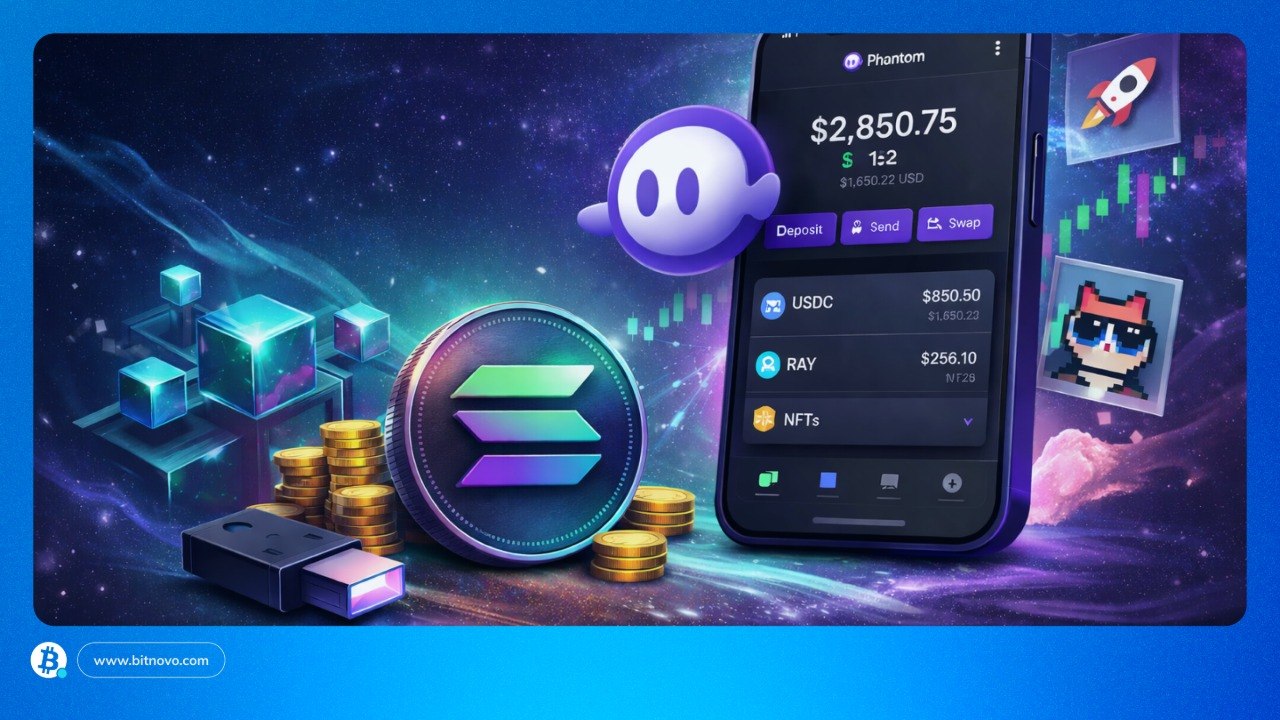
If you are looking to store, send, receive, or exchange crypto from a simple and user-friendly interface, Phantom Wallet is one of the most well-known and powerful options today. It is a non-custodial wallet, meaning you have full control of your keys, which is no longer limited only to Solana, but allows you to operate easily on networks such as Solana, Ethereum, Base, Polygon, Bitcoin, Sui, Monad, and HyperEVM. In this article, you will learn step by step how to configure your security and take advantage of its functions to navigate the digital ecosystem without needing to be a technical expert.
Indeed, the crypto market has stopped being an exclusive club for pioneers; today, the real value lies in tools that are understandable and radically useful for everyone. Phantom appears as the solution for those who are tired of the same old things and are looking for something better: an experience that, between the rigid rules of traditional banking and the complexity of code, chooses to save your skin with simplicity. Below, you will discover why this “digital key” is the piece you were missing to take control of your assets independently and securely.
Phantom Wallet Is Not an Exchange: This Is the Difference
Remember that Phantom Wallet is a self-custodial wallet (non-custodial) and an interface for Web3, not a centralized exchange. It allows you to manage, swap, and store crypto assets on the Solana, Ethereum, Base, Polygon, Bitcoin, Sui, Monad, and HyperEVM networks, with the user maintaining full control of their private keys. Although it offers internal swap functions, it does not hold funds or perform asset custody.
|
Feature |
Phantom Wallet (Self-Custody) |
Centralized Exchange (CEX) |
| Control of funds | You have total control. You own the keys (seed phrase). | The platform holds them for you. They have the keys. |
| Security | If you lose your seed phrase, no technical support can recover the money. | You can recover your account with your email or ID if you forget your password. |
| Fiat money | Does not accept direct cash deposits; you need to receive crypto from outside. | You can buy crypto with a card or bank transfer (fiat). |
| Privacy | No registration or personal documents required (KYC). | Requires identity verification to operate. |
| Main use | Interact with NFTs, games, and Web3 apps (DeFi). | Buy, sell, and trade coins quickly. |
| Exchanges | Uses internal swaps through decentralized networks. | Exchanges occur within the company’s database. |
Is Phantom Only for Solana?
Since its launch in 2021, by software engineers Brandon Millman and Francesco Agosti and product designer Chris Kalani, Phantom was born closely linked to Solana, quickly becoming the favorite choice for millions of users due to its clean design and ease of use.
However, what began as a specialized tool has evolved into a multichain model, breaking down barriers between different ecosystems.
Today, Phantom allows you to manage your assets on the most relevant networks in the market, including Solana, Bitcoin, Ethereum, Polygon, and Base. This expansion means you no longer need a separate app for each currency; you can jump from one network to another from the same place, maintaining the simplicity that made it famous from the start.
Main Features of Phantom Wallet
Phantom stands out for its balance between simplicity and utility. The interface is designed to be clean and intuitive, even for beginners, while offering advanced tools for experienced users.
Users can send and receive tokens with just a few clicks, swap assets directly within the wallet, and even buy crypto using integrated payment options. The wallet also offers a smooth way to manage NFTs, stake tokens, and interact with decentralized applications.
|
Function |
What can you do with it? |
What you should know |
| Send and Receive | Move your assets securely. Phantom automatically detects the address and shows you the corresponding network. | Beware of the network: Before sending, verify that the destination uses the same chain (e.g., sending SOL via the Solana network). The app will ask you to review this to avoid errors. |
| Swap | Change one coin for another without leaving the wallet (e.g., change USDC for Solana). | Cross-network swaps: Its strongest point is that it allows you to “jump” between networks (cross-chain) without having to use complicated external bridges. |
| NFT Management | Store and view your digital collectibles in a highly visual and organized way. | Not only does it store them, you can send them, list them for sale, or simply enjoy your gallery from a clean interface. |
| Multichain Compatibility | It is no longer just a “Solana wallet.” It is a true Phantom Crypto Wallet. | Works simultaneously with Solana, Bitcoin, Ethereum, Polygon, and Base, allowing you to see all your assets on one screen. |
| Web3 Connection | Use it as a key to enter finance applications (DeFi) or games. | Acts as a secure browser that connects you to the decentralized ecosystem intuitively. |
How to Create an Account on Phantom Wallet Step by Step
Getting started with Phantom Wallet is a relatively simple process, whether you are new to Solana or an expert in cross-platform networks. Follow these simple steps to set up your Phantom wallet:
Download Phantom Wallet from the Official Website or Store
To begin, visit the official Phantom website and download the application on your device. You can install the extension for your browser (Chrome, Firefox, Brave, Edge) or the mobile app, as you prefer.
Very important: being such a popular tool, there are fake sites that try to imitate it to steal your data. Always make sure to download it from official sources and verify that the URL is correct. Remember that security in the crypto world begins with not clicking on suspicious links or search engine ads that seem strange; going directly to the official source is the best way to protect your money from minute one.
Create a New Wallet or Import an Existing One
Once you have installed the application or extension, you will need to create a new Phantom wallet:
- Open the Phantom wallet from your browser or mobile app.
- In the “Your Accounts”menu, click “Add/Connect wallet”.
- Click “Create New Account”.
- Assign a name to your account and click “Create”to activate your new Phantom wallet.
- Save your recovery phrase in a safe place.This phrase is essential to recover your wallet if necessary, so make sure to store it securely offline and that no one else can access it.
- At any time, you can create a new wallet to manage your crypto assets across multiple accounts.
Import an Existing Wallet
If you already have a Solana wallet and want to import it into Phantom:
- Open the Phantom wallet.
- Select the option to recover a wallet by clicking “Import Secret Recovery Phrase”or “Import Private Key”, depending on your security preferences.
- Enter your recovery phrase or private key to restore your wallet.
How to Use Phantom Wallet
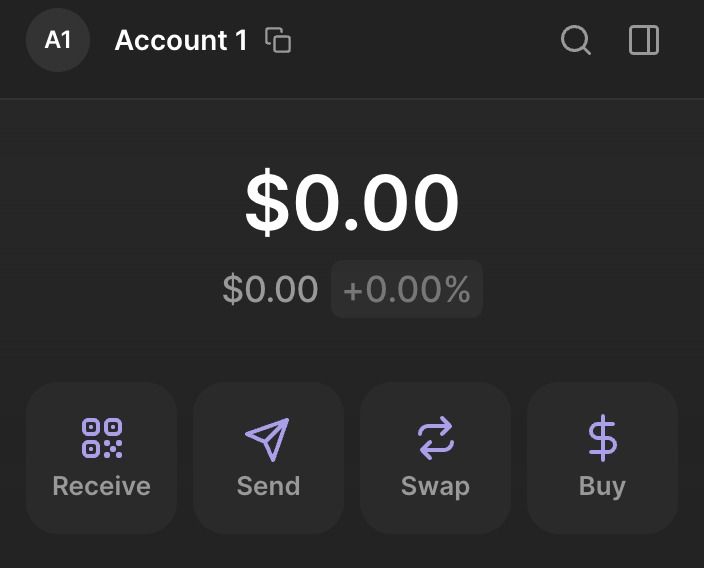
The Phantom wallet includes basic and advanced functions. Once set up, using it is very simple. When you open your wallet, you will see four buttons: Receive, Send, Swap, and Buy that allow you to manage all your capital with a few clicks.
How to Receive Crypto in Phantom
For someone to send you funds or to move your own crypto from an exchange to Phantom, the process is very visual:
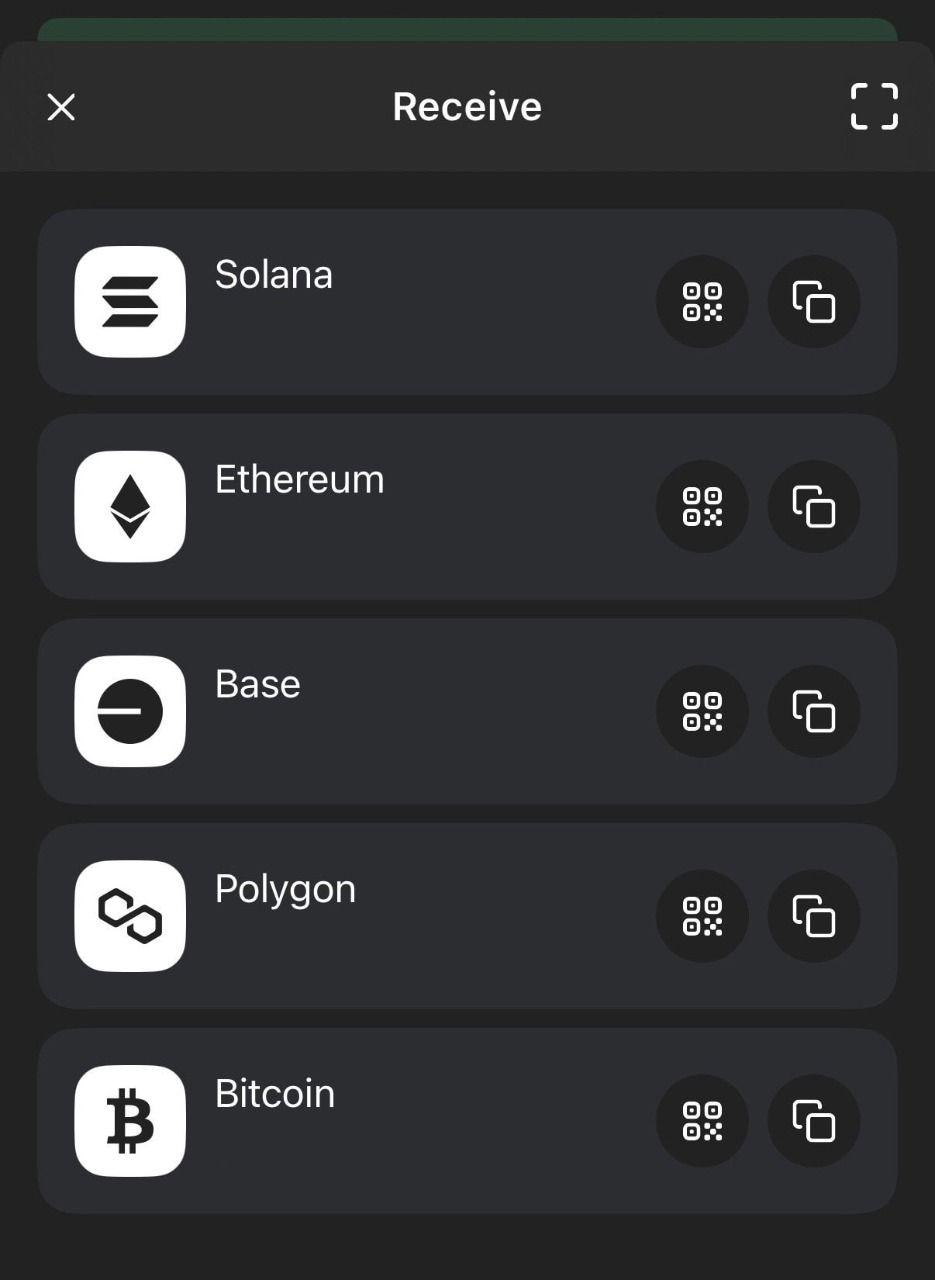
- Click “Receive”on the main screen of your wallet.
- Select the asset you wish to receive.
- A QR code and a wallet address (a long alphanumeric code) will be generated. You can scan the QR or copy the address.
- Share the QR code or address with the sender to receive the cryptocurrencies in your wallet.
- Make sure the sender uses the same network you have selectedto avoid funds being lost along the way.
How to Send Crypto from Phantom
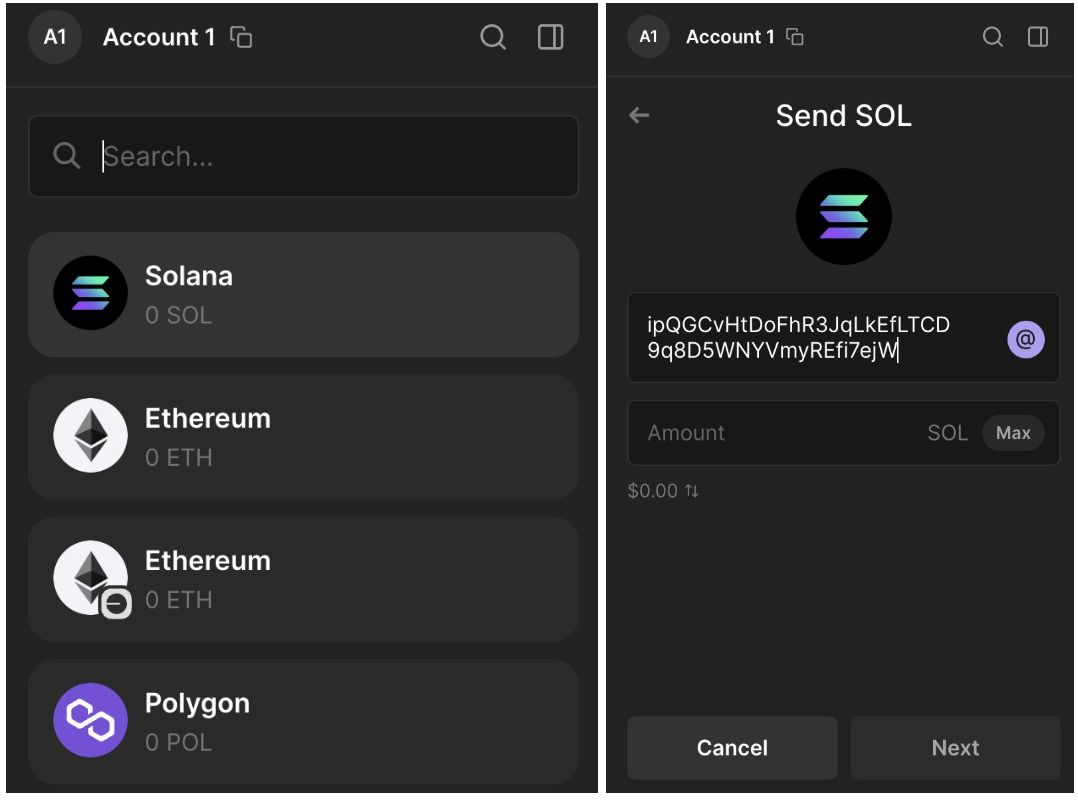
You can send funds from your Phantom wallet to another wallet. Select the correct blockchain network and make sure to copy and paste the correct receiving address.
- Press “Send”on your home screen.
- Paste the recipient’s address. (Tip:do not write it by hand, always copy and paste or use the QR scanner).
- Enter the amount of cryptocurrency you wish to send and click “Next”.
- Confirm the transaction details and press “Send”. In seconds, the transaction will be on its way.
How to Make a Swap in Phantom
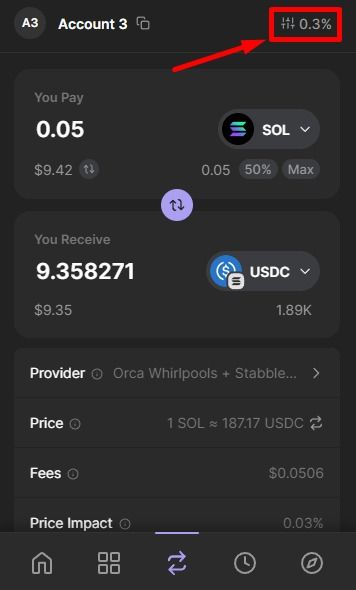
This is one of the most powerful functions, as it allows you to change one crypto for another without leaving the app:
- Open your Phantom Wallet and select “Swap”.
- Choose the tokens you wish to exchange.
- Enter the amount (either the amount to pay or to receive).
- Click “Review Order”to confirm the transaction details, such as price, fees, and slippage.
- Click “Swap”to complete the transaction.
How to View Your Activity and Movements
To keep full control, Phantom includes a “Recent Activity” section (the lightning bolt or list icon). There you will see the history of everything you have done.
Real utility: If you need proof, each movement has a link to the blockchain explorer (such as Solscan or Etherscan). It is like the public digital receipt that proves the operation was successful and is completely unalterable.
|
Action |
How to do it? |
The Expert’s Tip |
| Receive | Press “Receive”, choose the token, and copy your address or show the QR code. | Verify the network: Make sure the sender uses the same network (e.g., Solana or Ethereum) that you chose. |
| Send | Press “Send”, paste the destination address, and confirm the amount. | Don’t write by hand: Always copy and paste the address to avoid errors. A single wrong character and the money is lost. |
| Swap | Go to the arrows icon, choose the currencies, and press “Review Order”. | Check the fees: You will see the cost of the exchange before confirming. It is ideal for swapping tokens without leaving the app. |
| Buy | Press “Buy”, choose the currency, and follow the steps with external partners. | Multiple payments: You can use debit/credit card, Apple Pay, or Google Pay, depending on what is available in your country. |
| View Activity | Click the lightning bolt icon to see your movement history. | Digital receipt: If you need proof, click on the transaction to see the link to the blockchain explorer. |
Is Phantom Wallet Safe? What You Should Know
Phantom Wallet emphasizes security, but the ultimate responsibility lies with the users. Since it is self-custodial, only the wallet owner has access to the recovery phrase and private keys. To enhance protection, Phantom integrates password and biometric options, and also supports secure connections with trusted decentralized applications.
Users are advised to never share their recovery phrase and to verify websites before connecting their wallet. Using a separate wallet to test new projects can also help minimize risk.

Indeed, it is essential to talk about what keeps your money safe. Although the technology is robust, security is a team effort between the wallet and you. Here is a summary of how Phantom protects you and what you must do on your part:
|
Approach |
What you should know |
Active Protection |
| What Phantom does for you | The wallet includes smart protection layers to avoid costly errors. | Active shield: Includes transaction preview (to know what you sign), spam detection, malicious site blocklists, and the option to burn junk NFTs. |
| Risks that still exist | No wallet can stop you if you decide to trust the wrong person. | Beware of “gifts”: Distrust airdrops of unknown tokens or links promising prizes. Phishing (fake sites that imitate Phantom) remains the biggest danger. |
| Your Security Checklist | Simple habits that will save you from big scares in the future. | Golden rules: Never share your seed phrase, always verify the official URL, distrust “technical support” that contacts you privately, and review every contract signature. |
Remember, in the world of self-custody, you are your own bank. Phantom puts up the walls and the safe, but you are the one who decides who opens the door.
The Best of Phantom
A key advantage of using Phantom is that it provides access to Solana’s low-fee, high-speed blockchain and its dApp ecosystem. It is fast to download, and user reviews generally find the interface easy to navigate and familiar to other cryptocurrency wallets.
Phantom provides a firm support service compared to many other crypto wallets, with dedicated FAQ pages and an integrated chatbot for other questions. There are also community forums to propose and discuss new features. For Solana dApp developers, Phantom provides a developer documentation library to facilitate wallet integration into applications.
|
Advantage |
Why is it useful for you? |
| Total Simplicity | Its interface is so intuitive that it doesn’t matter if it’s your first day in crypto or if you’re an expert; everything is where you expect to find it. |
| Solana DNA | Although multichain, it offers the most optimized experience for Solana tokens and NFTs, taking advantage of its speed and low costs. |
| Swap Without Leaving the App | Exchange coins from different networks directly in the wallet. You save time and avoid the risk of using unknown external platforms. |
| Security | Being non-custodial, you are the sole owner. Additionally, you can connect it to hardware wallets for an extra layer of protection. |
| NFT and DeFi World | It is the perfect gallery for your collectibles and the key to entering investment protocols (staking and liquidity) without friction. |
| Everywhere | Manage your assets on your PC with the browser extension or on the go with the mobile app, all synced and ready to use. |
Points to Keep in Mind
As important as knowing its strengths is understanding its limitations. In the world of self-custody, being the owner of your money also means being aware of the boundaries of the tool you use.
|
Limitation |
What does it mean in practice? |
| Total Responsibility | Being a self-custodial wallet, if you lose your keys or sign a malicious contract, there is no “customer service” that can reverse the transaction. |
| Focus on Solana | Although already multichain, its heart remains Solana. Functions like direct staking (earning rewards) are available mainly for SOL, but not for other coins like ETH. |
| Simplicity vs. Customization | Its minimalist design is an advantage for many, but more technical users might feel that advanced configuration options are lacking. |
| NFT Management | It is optimized for digital art on Solana. If your main collection is on very specific or less common networks, you might need an additional wallet to view them properly. |
| Market Trajectory | Although it has grown explosively, its integration ecosystem is still expanding. |
No tool does everything perfectly. The value of Phantom is not in being the wallet with the most buttons on the market, but in being the most human and useful for those who prioritize agility and design without sacrificing security. At the end of the day, knowing what your wallet can and cannot do is what allows you to use it with true confidence.
CFTC Authorizes Phantom’s Entry into Prediction Markets
Phantom claims to have obtained a no-objection letter from the U.S. Commodity Futures Trading Commission (CFTC) , allowing the platform to offer regulated derivatives to its users.
According to the statement, Phantom states that it can now integrate direct access to regulated event contracts and commodity derivatives into its interface without needing to register as a broker.
“We appreciate the CFTC working with us to resolve a truly novel issue, and we hope to be able to offer consumers more innovative products in a way that generates confidence and sets an appropriate precedent,” said Brandon Millman, CEO of Phantom.
To maintain regulatory compliance, Phantom states it must ensure that all contracts are fully collateralized and disclose to users the risks associated with derivatives trading.

Frequently Asked Questions About Phantom Wallet
Is Phantom Wallet Free?
Creating an account or managing your assets is free, although transaction fees may apply when sending tokens or interacting with dApps. These fees are usually minimal on Solana’s low-cost network, especially compared to Ethereum gas fees.
What Networks Does Phantom Wallet Support?
While Phantom began as a wallet application based exclusively on Solana, it has since added support for Ethereum, Base, Polygon, Bitcoin, and Sui.
Can You Store NFTs in Phantom?
Absolutely. Phantom includes an integrated NFT gallery where users can view and manage their digital collections directly within the wallet.
What Happens If I Lose My Recovery Phrase?
Make sure to save this phrase offline and never share it. If it is compromised or lost, Phantom will not be able to recover your funds.
Is Phantom Wallet Good for Beginners?
Undoubtedly. It is one of the best options for taking the first steps in the crypto ecosystem. Its great success is not due to having more functions than others, but to having made the technology seem like something everyday and manageable.